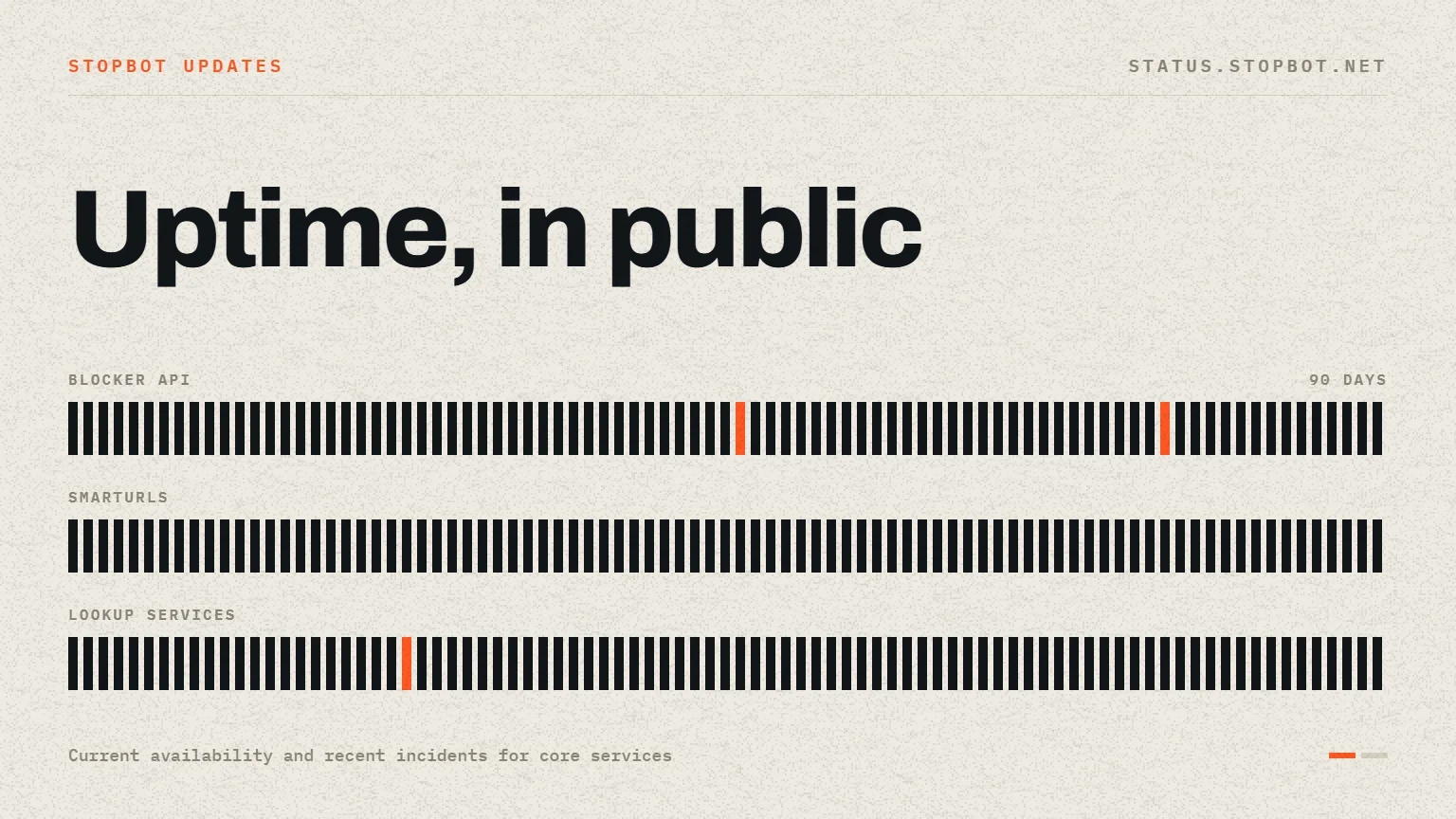
Stopbot has launched a public service status page at status.stopbot.net. The page gives customers a single place to check whether core Stopbot services are reachable and to review recent uptime without opening a support request first.
Visibility across the main service surfaces
The status page tracks the public surfaces customers rely on during normal operation, including the Stopbot website, documentation, control panel, and API services. Each component presents its current state and recent uptime history so a local integration issue can be distinguished from a wider service event.
- Homepage availability for the main Stopbot website.
- Documentation availability for implementation references and guides.
- Control panel availability for account and configuration management.
- Current API availability for production service requests.
- Legacy service visibility during the migration period.
A practical first step during troubleshooting
When an application cannot reach Stopbot, the public status page should be the first external check. If the relevant component is operational, teams can continue with local DNS, firewall, proxy, credentials, timeout, and application-log checks. If an incident is visible, the page provides a shared reference while service is restored.
Recent history adds useful context
Current status alone cannot show whether a short interruption happened earlier. Recent uptime history provides that context and helps teams compare application errors with the time of a service event. It also creates a clearer operational record for customers running scheduled checks or distributed infrastructure.
How customers should use the page
- Open the status page and identify the component used by the application.
- Compare the current state and recent timeline with the failed request time.
- Keep the API HTTP status and a sanitized response when local investigation is still required.
- Use the support channel for unresolved account or integration-specific issues.
Keep one useful record for follow-up
If the monitored component is operational but the integration still fails, retain a small, sanitized record before retrying: the affected component, approximate time and time zone, HTTP status, response status or message, and the route being called. Remove API keys, credentials, full session values, and unnecessary visitor data before sharing the record with support.
- Match the failure time with the component timeline on the public status page.
- Check whether the failure affects one request, one service, or every Stopbot request from the origin.
- Preserve the exact HTTP status and a sanitized response instead of reporting only that the API is down.
- Continue with local DNS, firewall, proxy, timeout, and credential checks when the component is healthy.
The new status page complements Stopbot documentation and support by making service availability immediately visible. It will remain the public reference for core component health as the platform continues to grow.
Stay informed
Follow the latest Stopbot updates.
Use the documentation for implementation details and the public status page for live service availability.